The full analysis is the table of quantities, rates and charges behind a rate. It is the only part that needs a free item or a pass, and the rest of an item page is open to everybody.
| What you get | |
|---|---|
| Anybody | The DSR number, name, unit and rate of an item, the page of the book, and the names of the material, labour and machinery it uses, with no figures. |
| Signed in | The same, and also Search, Basic rates, Justification and Saved, and 3 free items. |
| A free item | The full analysis of that one item, for good. |
| A free justification | Up to 3 justifications, each for a schedule of 100 rows or less, using the 3 free AI readings every mobile number gets. See Your free justifications. |
| A pass | The full analysis of every item, for as long as the pass runs, and Justification for more schedules. |
How to open an item free
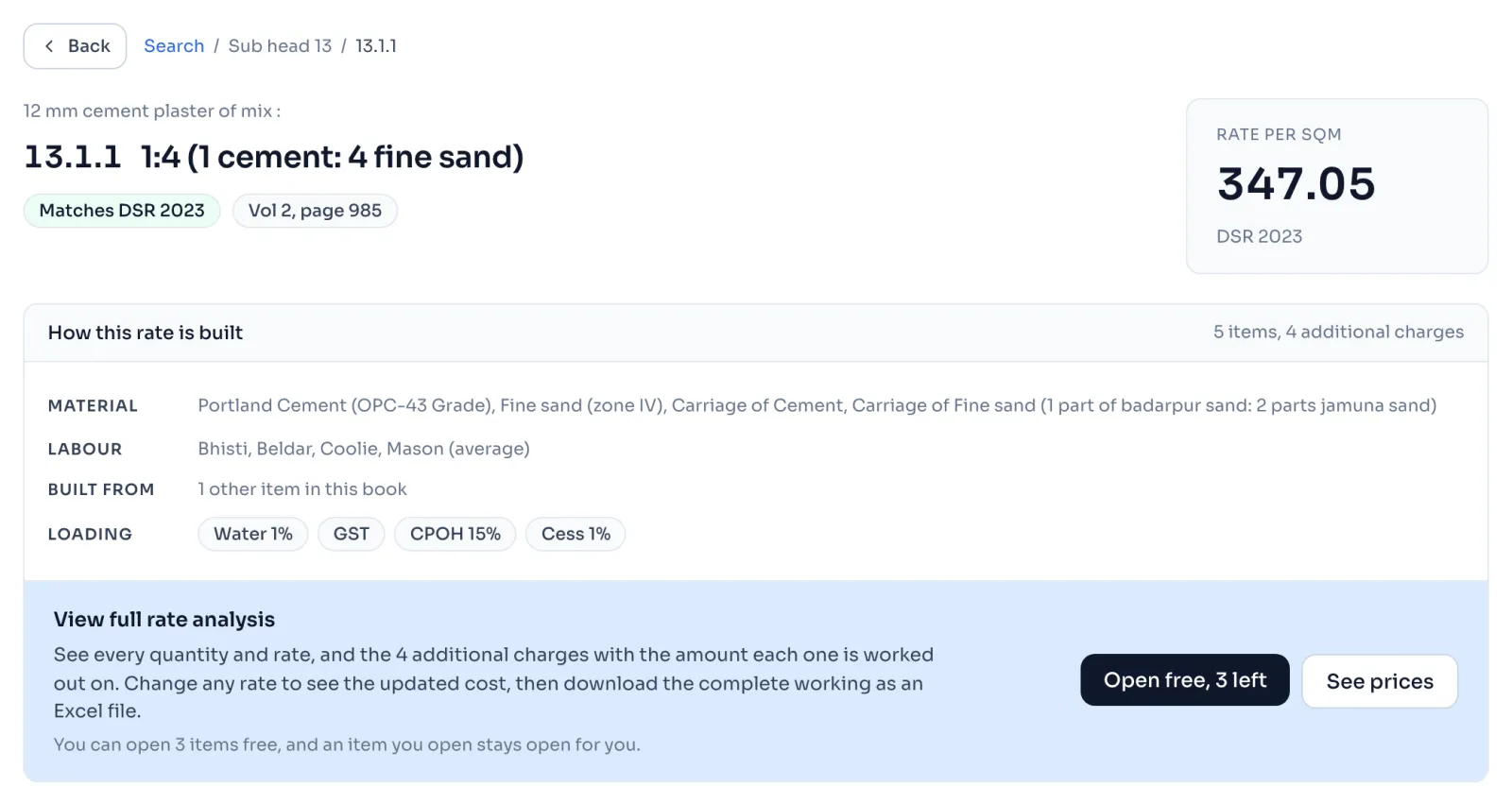
- Sign in, find the item and open its page. If you are signed out, the page shows Sign in and unlock 3 items free.
- Press Open free. The button also says how many free items you have left.
- The page loads again with the full analysis, including the Detail of cost. Detail of cost
Things to know
- Only the Open free button uses a free item. Visiting a page, or coming to it from Google, never does.
- An item you opened stays open for you, and opening it again uses nothing.
- Opening an item opens everything it is built from inside it, with the arrow on each line. Those items still need their own free item or a pass when you open their own pages. Follow a line to its item
- The free items belong to your mobile number and not to the account, so a new account on the same number does not get more.
- Your account page lists them under Free items, with the day you opened each one.
- Your free justifications are separate from your free items. Making one uses none of them, and opening a free item uses nothing of them.
- A few items cannot be worked out again, so they have no Open free button and nothing is used. When the book does not add up
How it is worked out
Free items left depends on the items you opened, never on the pages you visited:
| What you do | Free items left |
|---|---|
| Sign in for the first time | All 3 |
| Visit 13.1.1 and look at its rate | No change |
| Press Open free on 13.1.1 | 1 less |
| Open the line for mortar 3.4 inside 13.1.1 | No change, because 3.4 is part of 13.1.1 |
| Press Open free on 13.1.1 again | No change, because it is already open |
| Press Open free on another item | 1 less |
| Make a new account with the same mobile number | No change, because the count stays with the number |
When none is left, the Open free button goes and See prices is shown instead.
If you see this message
Buy a pass to open more. after the message that says you have used all your free items
Your free items are finished. A pass opens every item, and the items you already opened stay open.
This item cannot be worked out again, so it cannot be opened free.
Nothing was used. Use the rate printed in the book for this item.
Something went wrong. Please try again.
Press Open free again. An item that is already open is never counted a second time.