How to search
- Sign in and press Search in the side menu.
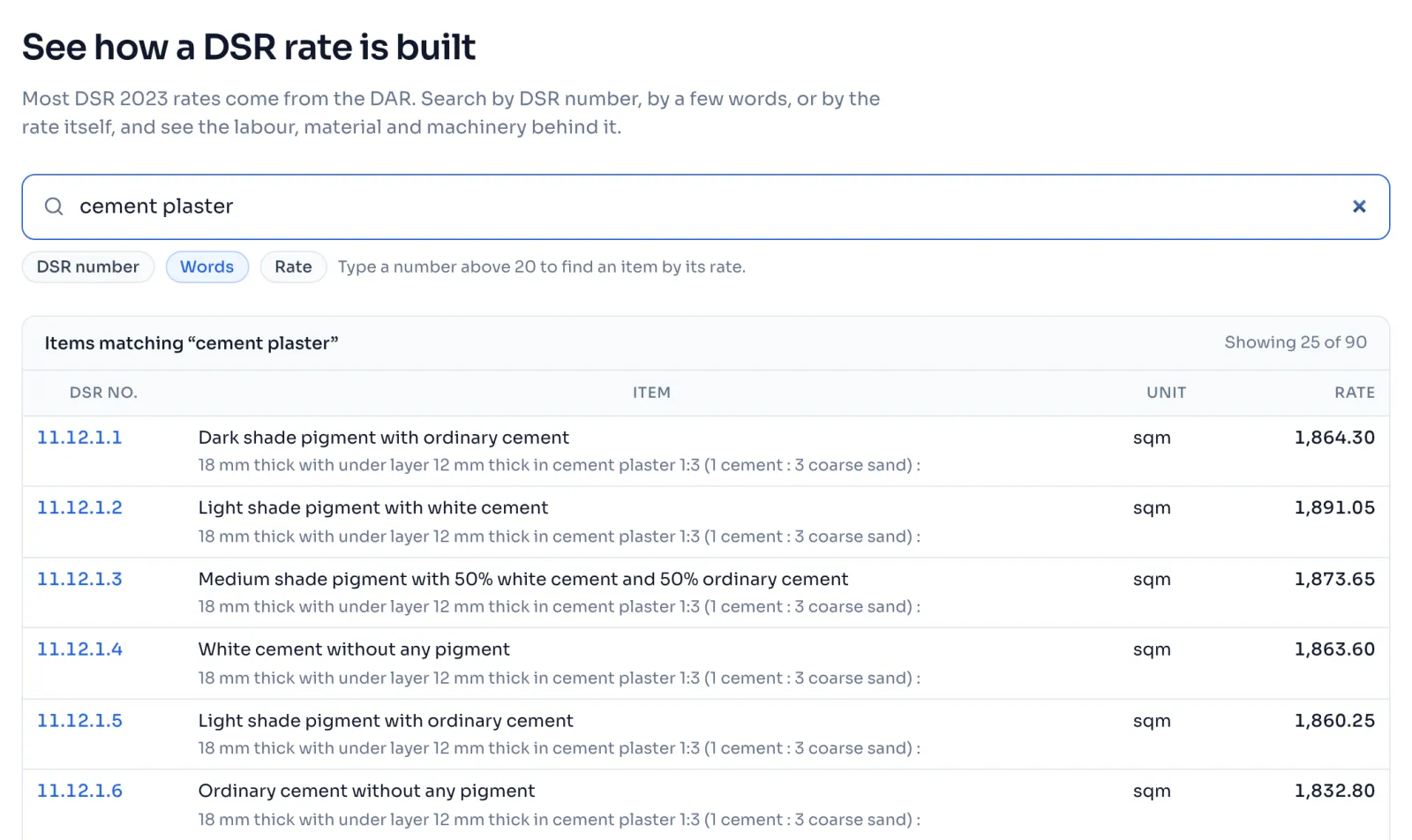
- Type in the box a DSR number like 13.1.1, a few words like plaster, or a rate like 1523.
- The items come up as you type, with their DSR no., Item, Unit and Rate.
- Press anywhere on a row to open that item. Press Show more under the list to see more rows.
Things to know
- The chips under the box, DSR number, Words and Rate, light up to show how your search is being read.
- A DSR number finds every item whose number starts with it, in book order, so 13.1 finds 13.1.1, 13.1.2, 13.10 and the rest.
- Words must be in the item, and items with your words in their name come before items that only mention them inside a long description.
- A number of 20 or more finds the items priced within 2 percent of it, nearest first. Typing rate: before a number, like rate:1523, always searches by rate, and it is the way to search a rate below 20.
- A number from 20 to 99, like 25, can be a DSR number or a rate, so you see both lists.
- If your words look like sub head 17, Sanitary Installations, a line tells you that part of the book is not in yet. Items not in yet
How it is worked out
The rate search shows the items priced within 2 percent of your number, and never less than 50 paise either side:
| You type | 2% of it | Window used | Items shown from | Items shown to |
|---|---|---|---|---|
| 1523 | 30.46 | 30.46 | 1,492.54 | 1,553.46 |
| 20 | 0.40 | 0.50 | 19.50 | 20.50 |
The list is in order of how near each item is to your number, so an item at 1,520.00 comes before one at 1,550.00.
If you see this message
Try a DSR number, or a word from the item. under Nothing matches and what you typed
No item has what you typed. Check the number, or type a word from the name of the item.
Please sign in again to search the book. under You are signed out
Your sign in has ended. Press Sign in and you come back to the same search.
This is our fault, not yours. Please try again in a minute. under The rate book could not be read
Wait a minute and type again. If it keeps happening, write to us.
The Delhi Analysis of Rates 2023 is published by the Central Public Works Department, Government of India, and the copyright in it belongs to CPWD. RateAnalyser is not connected with CPWD and does not claim any right in the book. What this site adds is our own work: reading the book, checking its arithmetic, and the tools built on top of it. Always check against the published book before you use a rate in a bill.