While a pass runs, every item opens in full, with the Detail of cost, the Additional charges, changing any rate and the excel, and you can make justifications. Each pass comes with 3 free AI readings, on top of the free ones every mobile number gets. A pass does not renew by itself and nothing is taken from your account later. When it ends, you can still open the free page of every item and the items you opened free, and you buy another pass when you need the full working again.
How to see your pass
- Open your account page, see Your account page.
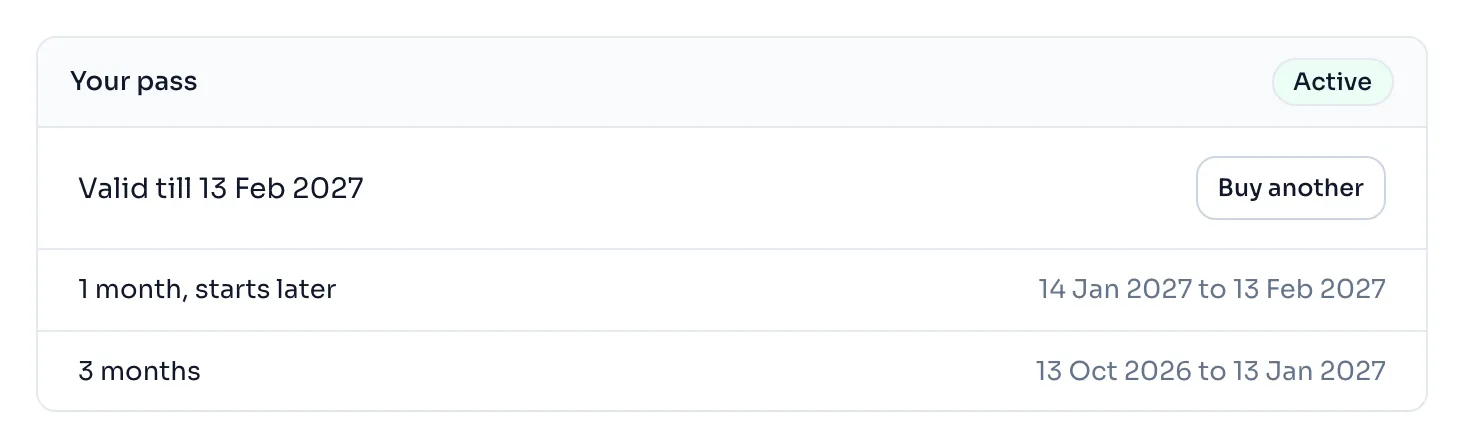
- In the panel Your pass, Valid till gives the last day your passes cover. The badge Active shows while a pass is running.
- Under it, every pass you bought is listed with its first day and its last day. A pass that waits for the one before it says starts later.
- Press Buy another to add more time, or See prices if you have no pass yet.
Things to know
- If you buy a pass while another is running, the new one starts when the running one ends, so no day is lost and no day is counted twice. The window where you buy shows the day it would run till, with the running pass counted.
- You can buy the next pass before the first one ends, so you are never without one.
- A change in our prices never touches a pass you have already bought.
- A pass is for one person. Do not share your account, and one account works on 2 devices at a time, see Devices and signing out.
- The free items you opened stay open for you after a pass ends.
- The justifications you made stay in your account, and they open again when you have a pass. Your AI readings never expire, and they wait for the next pass.
- The full rules are in our Terms of use, Part C.
How it is worked out
A pass runs for whole calendar months from the moment it starts, in India time. If that moment is not exactly midnight, the pass runs on to the next midnight, and the last day is the day before that midnight.
Take a 1 month pass bought on 12 October 2026 at 3.30 pm, and then a 3 month pass bought on 20 October while the first one is still running:
| Pass | Starts | Start + months | Ends at midnight | Last day shown |
|---|---|---|---|---|
| 1 month | 12 Oct 2026, 3.30 pm | 12 Nov 2026, 3.30 pm | 13 Nov 2026 | 12 Nov 2026 |
| 3 months | 13 Nov 2026, the moment the first ends | 13 Feb 2027, midnight | 13 Feb 2027 | 12 Feb 2027 |
After the second purchase your account page shows Valid till 12 Feb 2027, and the 3 month pass says starts later until 13 November.
If you see this message
You do not have a pass. in the panel Your pass
No pass is running. You can still use your free items, or buy a pass.