Reading is the only part of Justification that uses AI. The sums, the totals and the PDF are worked out by RateAnalyser from the book, and they use no reading.
What uses a reading
- Reading 1 Schedule of Work, all its pages and photos together, uses 1 reading.
- Reading 1 award letter uses 1 reading. So a justification with its award letter uses 2.
- Making the justification, changing a rate, opening an item and downloading a file use none.
How many you have
| Where they come from | AI readings |
|---|---|
| Your mobile number, once | 3 free AI readings |
| Each pass you buy | 3 free AI readings |
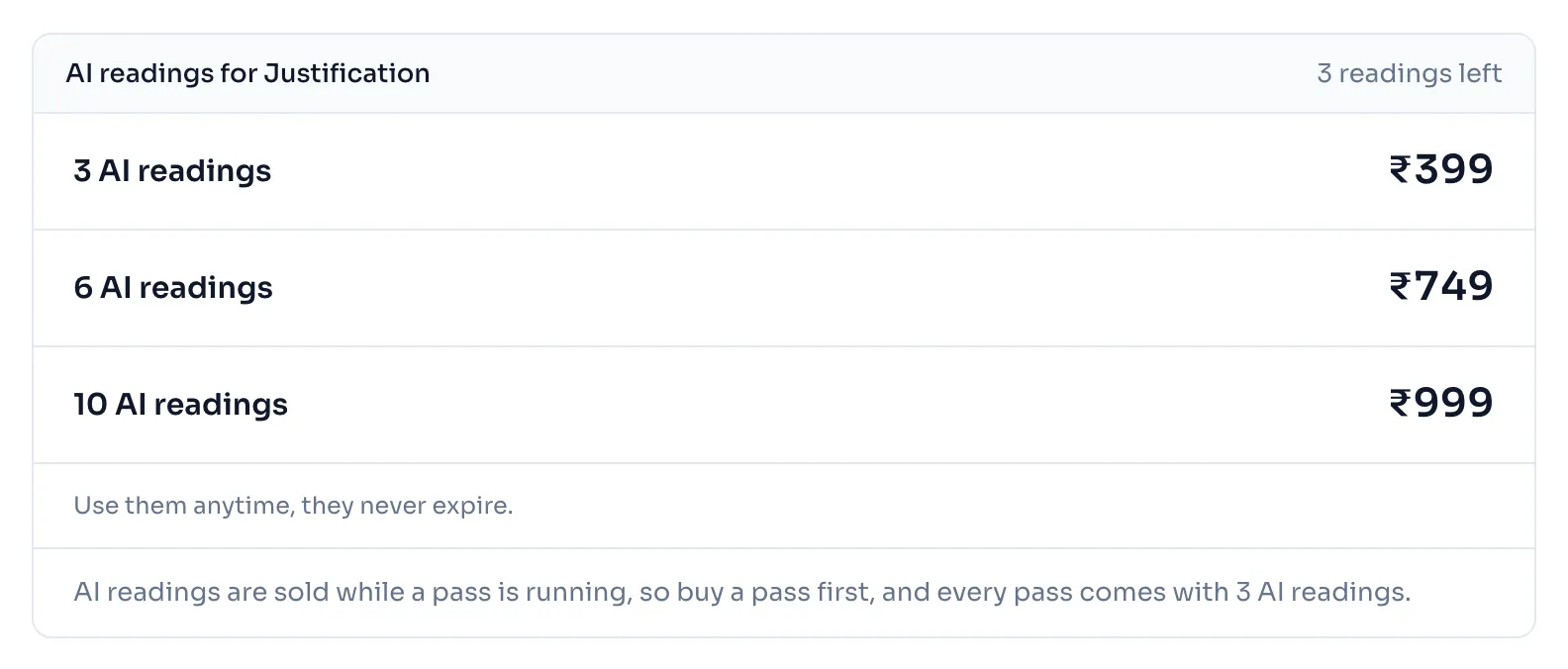
| A pack | 3 AI readings for ₹399 before GST |
| A pack | 6 AI readings for ₹749 before GST |
| A pack | 10 AI readings for ₹999 before GST |
The free readings of your number come with the number, with a pass or without one, so a number that buys a pass has them and the readings of the pass too. A pack can be bought only while a pass is running, its readings never expire, and a pack is not refunded.
How to see your readings and add more
- Press Justification in the side menu. While a pass is running, the page shows how many AI readings you have left, with Buy more beside it. The page New justification shows the same beside Read with AI. With no pass, the card on the page says how many AI readings and free justifications you have left, see Your free justifications.
- To add a pack, open the page Buy a pass. The panel AI readings for Justification shows how many readings you have left and the packs with their prices, and you press Buy beside the pack you want while a pass is running.
- The readings are added to your account when the payment goes through, and the tax invoice is on your account page.
When a reading is used
A reading is used when AI reads your file, even when nothing in its answer can be used. It is used when you press Stop reading, even before the first row shows, because the pages were already being read.
A reading is given back when it fails for a reason that is not yours. That is when the reader is busy or does not answer, when it does not read the file, when the file is too big for it, and when the file is lost before it is read.
Things to know
- You need a pass running to read a schedule, except for your free justifications. If your pass ends, the readings you have left wait for the next one.
- The free readings of your number belong to the number, so a new account on the same number does not get them again, and deleting a justification does not give them back.
- There is also a limit for each day on readings and on new justifications. It is far above what a day's work needs, and the message tells you to come back tomorrow.
- The full rules are in our Terms of use, Part C.
How it is worked out
Your readings are the free ones of your number, the free ones of your passes and the readings of your packs, less the readings you used, and with the readings given back added again.
With a made up account:
| What happens | AI readings left |
|---|---|
| A new number, before any reading | 3 |
| You read a Schedule of Work | 2 |
| You read its award letter | 1 |
| You buy a 1 month pass | 4 |
| You buy a pack of 6 AI readings | 10 |
| A reading fails because the reader is busy | 10, the reading is given back |
| You press Stop reading after 20 rows | 9 |
If you see this message
You have no AI readings left
Buy a pack while your pass is running, and use the readings anytime.
You have used your free AI readings
You have no pass and no AI readings left. Buy a pass, and every pass comes with 3 more AI readings, see Pass prices.
and this reading is not counted. after We could not read this file
The mistake is on our side or the file could not be opened. Nothing is used. Try a clearer scan or a photo of each page.
and this still counts as 1 reading. after We could not read this file
AI answered but nothing could be used, so the reading is used. Try a clearer scan or a photo of each page.
You stopped the reading
The message says if rows had come up. A reading you stop is used, and you can start again with the same files.
You can read a new schedule tomorrow, and you can still open and change every justification you have. after You have used today's AI readings
You reached the day's limit. Come back tomorrow, India time.
AI readings are sold while a pass is running, so buy a pass first, and every pass comes with in the panel on the page Buy a pass
A pack can be bought only while a pass is running.