How to open it
- Sign in. On a phone, press the menu button to open the side menu.
- At the foot of the menu, press your name, or your mobile number if you have not added a name. Below it the menu says how long your pass lasts, or how many free items you have left.
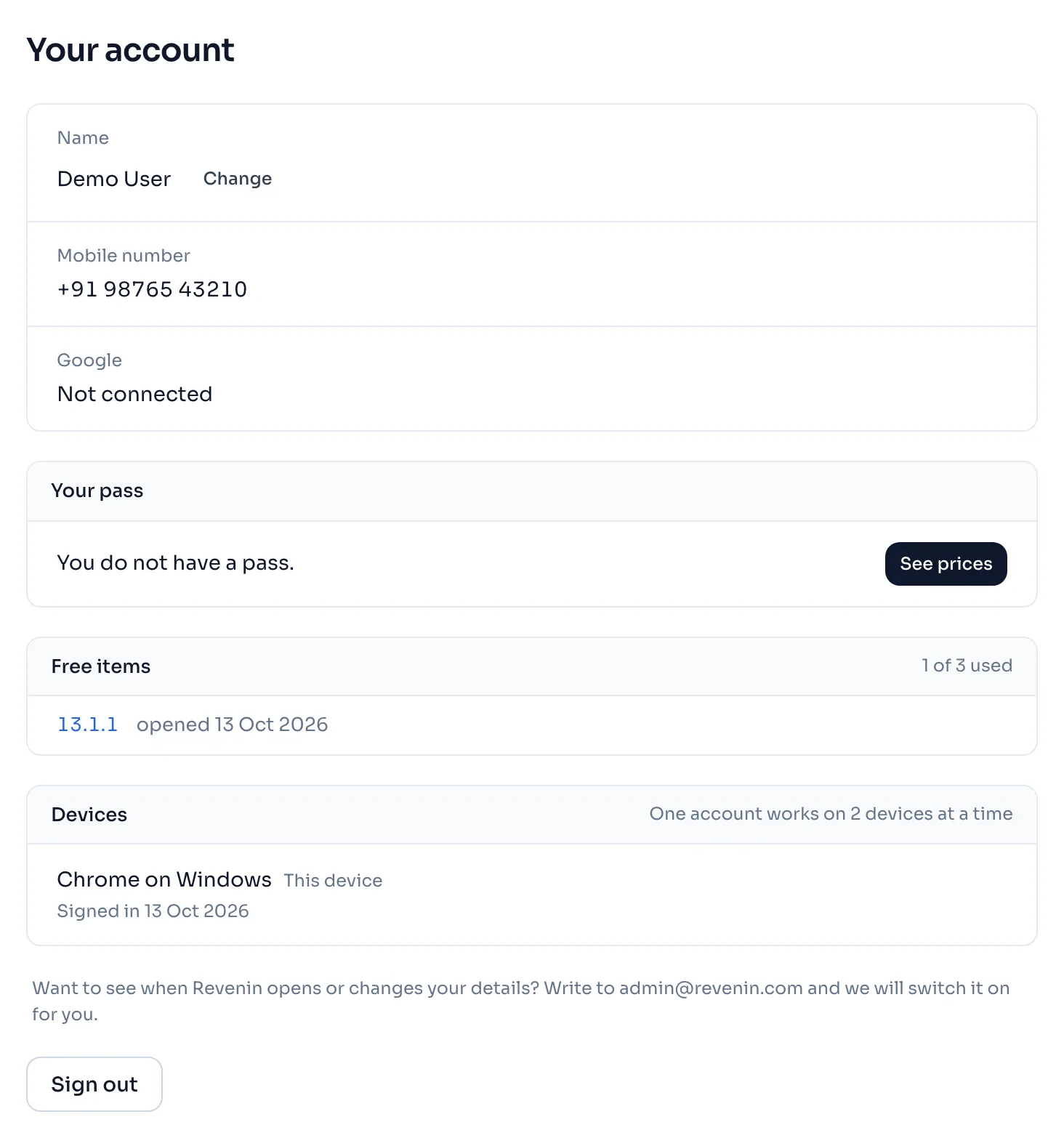
- Read the panels from the top. Each one is described below.
The panels
| Panel | What it shows |
|---|---|
| Name | Your name. Press Change, type the new name and press Save, or press Cancel. Until you add one it says No name yet. |
| Mobile number | The number you sign in with. You cannot change it on this page. |
| Your pass | Valid till, the last day your passes cover, and Active while one is running. Every pass is listed with its dates, and a pass that waits for another says starts later. Buy another or See prices is beside it. |
| Payments | Each payment with its day, the pass or the pack of AI readings, the amount and paid or refunded. It shows only after your first payment. |
| Free items | How many of your 3 free items you have used, and the items you opened free. Press a code to open that item again. |
| Devices | The devices signed in on your account, with Sign out beside every device except the one you hold, see Devices and signing out. |
| Sign out | The button at the foot of the page. It signs out this device and takes you to the sign in page. |
Things to know
- The prices of the passes are in Pass prices.
- A free item stays open for you for good, and it belongs to your mobile number.
- A notice can show at the very top of the page, and a panel called When Revenin opens or changes your details can show under Devices. Both are described below.
If you see this message
Your account is being closed and it will be done by at the top of the page
The notice names the last day, and it says to write to admin@revenin.com as soon as you can if this is a mistake.
When Revenin opens or changes your details the heading of a panel under Devices
This panel is a list. It shows only after you ask for it.
Want to see when Revenin opens or changes your details? Write to under Devices, when the list is not on
Write to admin@revenin.com, and we will switch the list on for you.
We could not show this list right now, please try again after some time.
Open the account page again after some time.
Please enter your name.
The box was empty. Type your name before you press Save.