Each account can open up to 200 items and download up to 50 files in a day. The day is India's day, so both counts start again at midnight, India time.
What is counted
- An item view. Each time the full working of an item opens for you, with your pass or with a free item, that is 1 view. Opening the same item again counts again. The page of one item inside a justification counts as 1 view too.
- A file. Each excel file you download is 1 file, even if it is the same item again. The PDF and the excel of a justification are files too.
These are not counted: Search, Basic rates, Saved, the free page of an item with its unit and its rate, and the pages of a justification itself, the table of items and the market rates. Only an item you open from it counts.
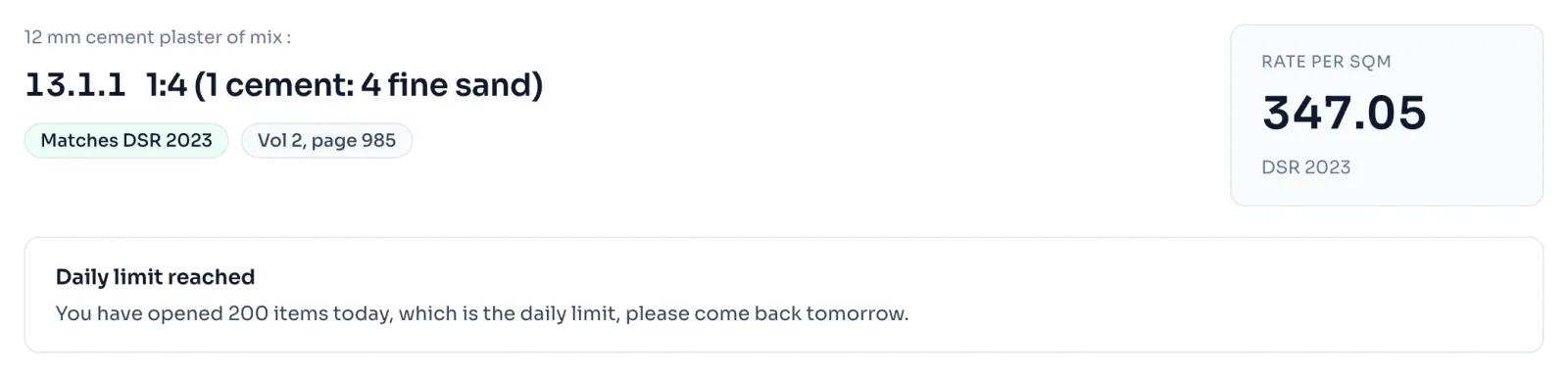
What happens at the limit
- The item page says Daily limit reached in place of the working. The rate of the item is still shown at the top.
- The excel button shows a similar message under it.
- The two counts are separate. Using up the views does not stop the files, and using up the files does not stop the views.
- Both counts start again after midnight, India time. You do not have to do anything.
Things to know
- A pass and a free item do not change the limit. It is the same for every account.
- When you open a link that somebody sent you, it counts as a view for you, see Send your changes by link.
- Changing a quantity or a rate does not count. Only opening an item does.
- AI readings and new justifications have a limit for each day of their own, see AI readings.
- The limit is in our Terms of use, Part C, under fair use.
How it is worked out
Every opening of a full working takes 1 off the day's views, and every download takes 1 off the day's files.
A day of work:
| What you do | Views used | Files used |
|---|---|---|
| Open 13.1.1 in the morning | 1 | 0 |
| Find 3.4 in Search and open it | 2 | 0 |
| Download the excel of 13.1.1 | 2 | 1 |
| Open 13.1.1 again after lunch | 3 | 1 |
Of the 200 views and 50 files you may use, you have used 3 views and 1 file. The PDF of a justification takes 1 off the files in the same way, and so does its excel.
If you see this message
Daily limit reached on the item page
The sentence under it says how many items you opened today. Come back tomorrow, India time.
items today, which is the daily limit, please come back tomorrow. on the item page
You have used all your views for today. Search and Basic rates still work.
files today, which is the daily limit, please come back tomorrow. under the excel button
You have used all your files for today. Your item pages still open.
The Delhi Analysis of Rates 2023 is published by the Central Public Works Department, Government of India, and the copyright in it belongs to CPWD. RateAnalyser is not connected with CPWD and does not claim any right in the book. What this site adds is our own work: reading the book, checking its arithmetic, and the tools built on top of it. Always check against the published book before you use a rate in a bill.