The payment page has its own address, so a payment you leave half way can be finished later from Billing.
How to pay
- On the Download page, press Bill in Excel. If you have no bill in your account, the strip shows the price with a Pay button, and you press it. To buy a pack, open Billing, choose Buy bills, pick the pack and press Pay.
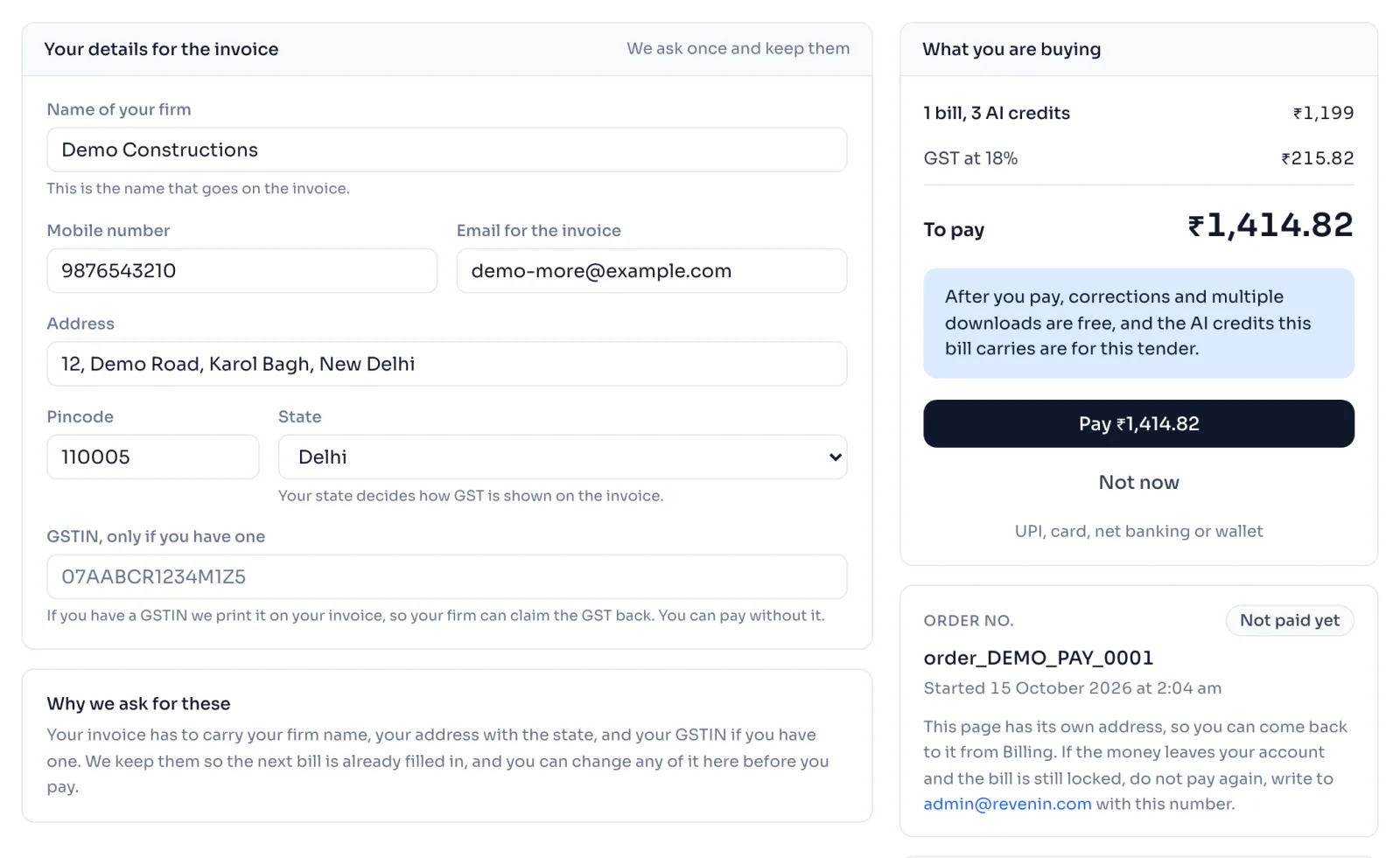
- The page Pay for this bill opens. Fill Your details for the invoice: Name of your firm, Mobile number, Email for the invoice, Address, Pincode and State. Details you gave before are already filled in.
- Fill GSTIN, only if you have one. You can pay without it.
- Check What you are buying, then press Pay. Razorpay's own window opens, and you choose UPI, card, net banking or wallet.
- When it is done, the page says Payment done. Press Download the bill, or Open the tender.
Things to know
- Closing the payment window charges nothing. Press Pay again when you are ready, or Not now to leave.
- Never pay twice. If the page says your payment is being confirmed, wait a minute and press Refresh.
- If your bank refuses the payment, press Try again to start a new one. The old one stays in your list as Did not go through.
- Keep the order number. If the money leaves your account and the bill is still locked, do not pay again, write to admin@revenin.com with that number.
- Come back any time. Each payment is listed under Billing, in Payments, and its name opens the same page again.
- Your details are kept for the next bill, so you ask once.
If you see this message
Please fill in your details first.
Pay stays off until every box except the GSTIN is filled in.
You closed the payment window and nothing has been charged.
Nothing was taken. Press Pay again when you are ready.
Your payment went through and we are still confirming it.
Do not pay again. Wait a minute and press Refresh.
The payment did not go through and nothing has been charged.
If your bank has held the money, it comes back to you in 5 to 7 working days. Press Try again to start a new payment.