Making and checking the bill on screen is free, and you pay only when you download it. Your first bill is free, and the Schedule of Work in excel and in PDF is always free.
How to download
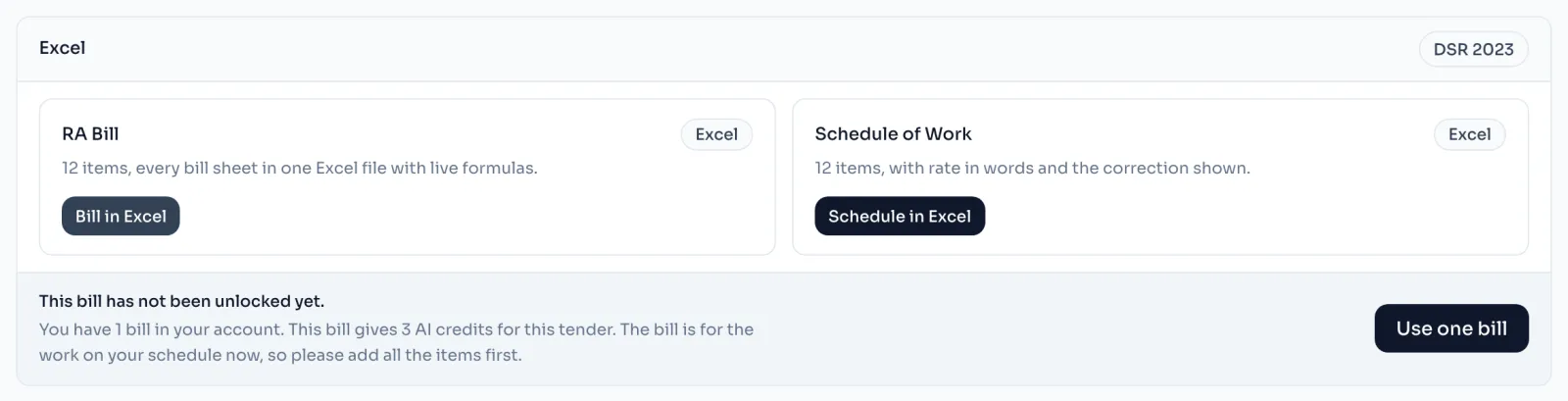
- On the tender, open Download in the side menu. The Excel panel has 2 cards, RA Bill and Schedule of Work.
- Read the RA Bill card. It counts the items on the bill, and if it says No items on the bill yet, add your items on the Schedule first.
- Press Bill in Excel. On a bill you have not paid for, this first press does not spend anything, it only brings up a strip with the price and the buttons under the cards.
- The strip tells you the price, or how many bills are in your account. Your free first bill is one of them, and Use one bill spends it and downloads the file.
- Open the file in Excel or LibreOffice. A copy is also kept in the Files list below, with its size and the day you made it.
Things to know
- The file is built from the saved tender. Whatever you typed is saved first, and if the save fails the file is not made, so you never get an older bill by mistake.
- The formulas are live. Open the file in Excel or LibreOffice and the figures are worked out when it opens. A preview on a phone or in an email can show blanks, because it does not work out formulas.
- The first download fixes the work. The bill is paid for the work on your schedule at that moment, so add all your items before you press Bill in Excel. Why a download was refused
- After you pay, corrections and multiple downloads are free, and the card then says the day the bill was paid for.
- Schedule in Excel is free on every tender, and it does not use a bill.
How it is worked out
The RA Bill card counts rows that have something in them, not every line of the grid:
| Rows on the Schedule | Counted |
|---|---|
| 12 rows with a code and a description | 12 |
| 1 market rate row with only a description | 1 |
| 1 empty row at the foot of the grid | 0 |
| Items on the card | 13 |
The grid always keeps one empty row at the foot, so a tender nobody has typed into still has a row, and the card does not count it. The rule behind Why a download was refused counts the items a little differently, so its count can be smaller than this one.
If you see this message
No items on the bill yet
The Schedule is empty. Add your items there first.
This bill has not been unlocked yet.
You have a bill in your account. Press Use one bill to spend it and download.
on the Bill page, the bill cannot be worked out without it.
A box at the top of the Bill page is empty. Fill it in and press the button again.
Your latest changes could not be saved, so the file was not made.
Check your internet and press the button again. The file is always made from your saved tender.