Start to finish
- Make your account with your mobile number and an OTP. Sign up and sign in
- Start a new tender. Give it a name, choose Delhi and the department, and check the rate book printed on your tender papers. Start a new tender
- Read your papers. On the tender, open Revenin AI, add the award letter and the Schedule of Work, and press Read both. Read your papers
- Check and apply. Look at every row marked Check, pick the right item, then press Apply to this tender. Check and apply a reading
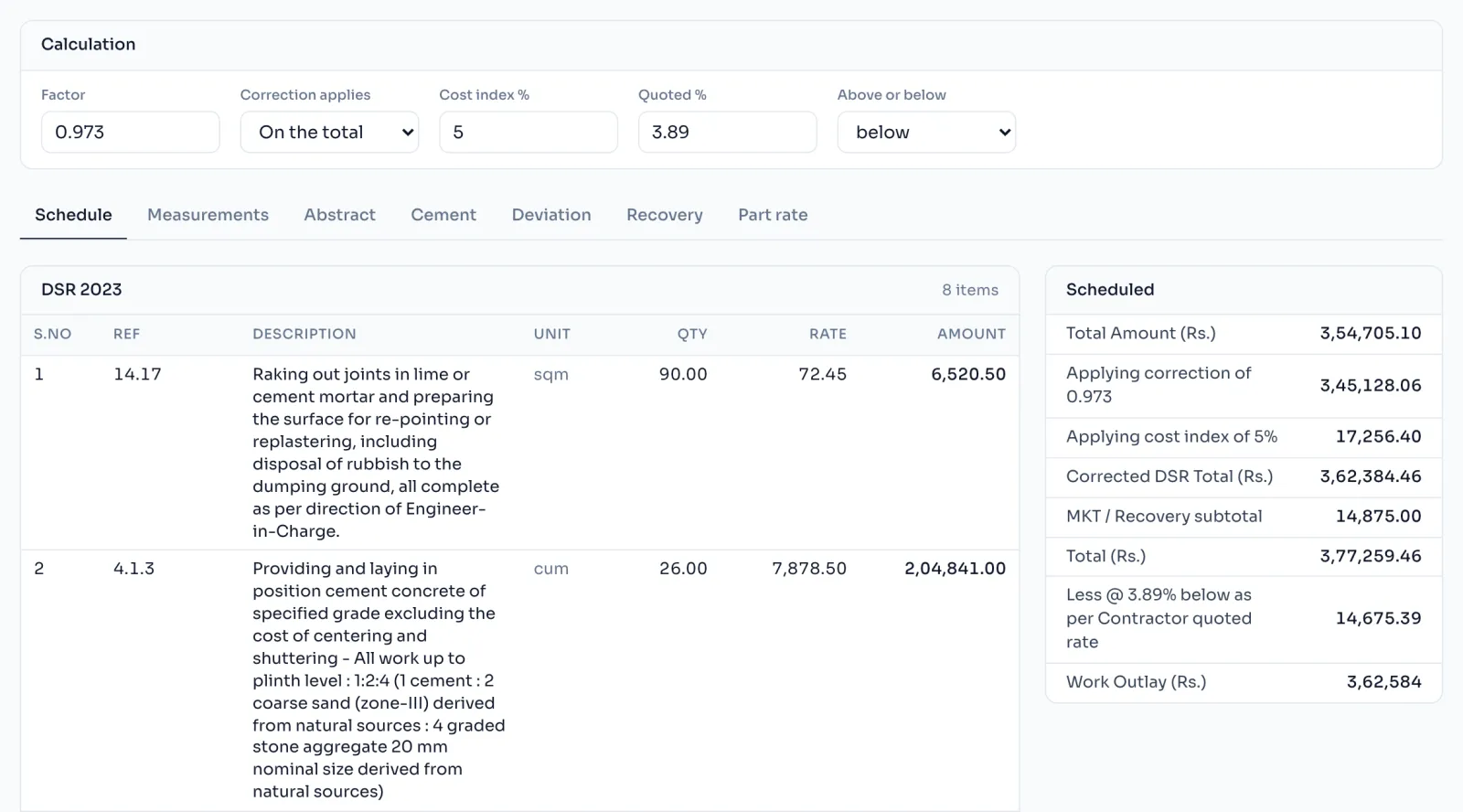
- Open the bill. Press Open bill and fill the Factor, Cost index % and Quoted % boxes from your agreement. Factor, cost index and quoted %
- Write the measurements for each item, the way you would in the measurement book. Write measurements
- Look through the sheets: the Abstract, the Cement statement, the Deviation and the Recovery are worked out for you. The Abstract
- Download. On the Download page press Bill in Excel. Your first bill is free. Download the bill in excel
Things to know
- Making and checking the bill is free. You pay only when you download it, and your first bill is free.
- After the first download, corrections and multiple downloads of the same work are free.
- The rate book cannot be changed on a screen after the tender is made, so check it against your papers first.
- You do not have to use Revenin AI. A schedule typed in by hand builds exactly the same bill.
- Everything saves by itself as you type, so you can stop and come back any time.
How it is worked out
The bill follows one chain from the schedule to the amount you are paid. Each step has its own page:
Work Outlay = (Main items x Factor, plus Cost index %, plus MKT, less Recovery), then less or add the Quoted %
- Main items are the DSR, Appd. and NS items at their book rates.
- The Factor corrects them, often 0.973 in DUSIB.
- The Cost index % brings the book rates up to today.
- Market rate items (MKT) are added and Recovery items taken off at par, with no factor and no cost index.
- The Quoted % above or below is applied last, and the Work Outlay is rounded to the whole rupee.
A worked example with numbers is on Factor, cost index and quoted %.