How to check and apply
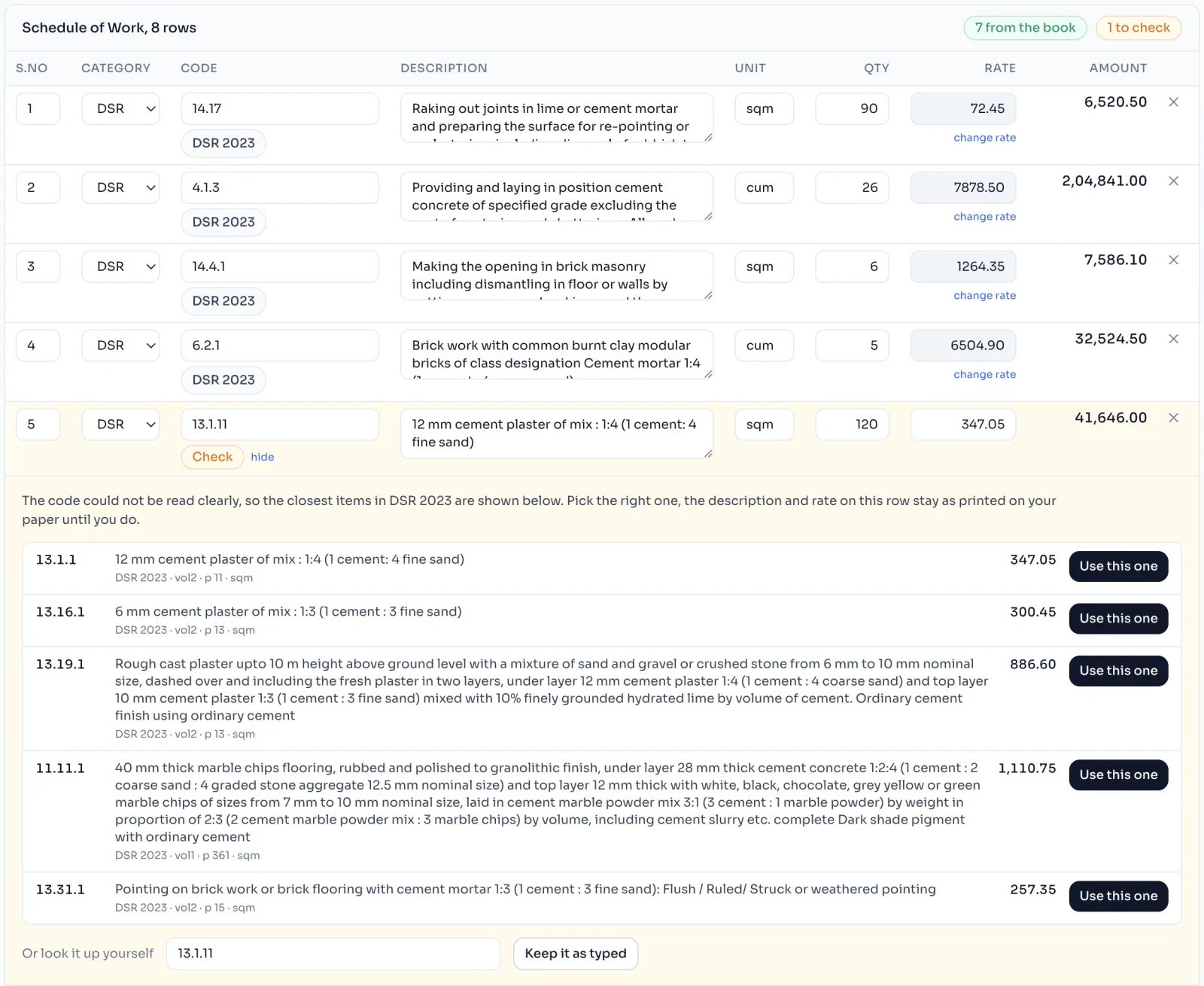
- When the reading is done, the top of the table counts the rows from the book and the rows to check. Under each code is the book it was found in, like DSR 2023, or a tag.
- Rows marked Check open by themselves. Read the candidates and press Use this one on the right item, or Keep it as typed.
- For a Not found row, look it up yourself or type it in.
- Change anything else that is wrong, right here.
- Press Apply to this tender.
What is under each code
| Under the code | What it means | What to do |
|---|---|---|
| The book's name, like DSR 2023 | The code was found, and the book's description, unit and rate are used | Nothing, unless the quantity is wrong |
| Check | Near, unclear, or more than one item has this code | Pick the right item |
| Not found | The rate book has no item with this code | Look it up, or type it in |
| Basic rate | The line quotes the Basic Rates appendix, not a priced item | Check the rate, the paper's rate is kept |
| Type it in | Nothing to look up, like a market rate item | Check what was read |
Things to know
- Apply replaces rows of the same kind. If the schedule already has DSR rows, applying a new reading of DSR rows replaces them, so reading the same sheet again corrects it instead of adding it twice.
- Measurements you already wrote stay, as long as the S.No and code still match.
- A row marked Check never takes a book rate until you pick the item.
- S.No is kept exactly as printed, never renumbered.
- Every reading is kept under Earlier readings on this tender, and applying one again does not use a reading.
If you see this message
We could not save it. Please check your internet and press Apply again
The rows are still here. Check your internet and press Apply again.