What you pay for is the work on your schedule at the first download. The bill remembers its items, and an item is a code together with its description. A market rate or recovery row has no code, so its description alone is the item.
Quantities, rates, units, measurements and S.No are never part of this. That is why corrections are always free, and why a bill the department sends back can be fixed and downloaded again.
What to do
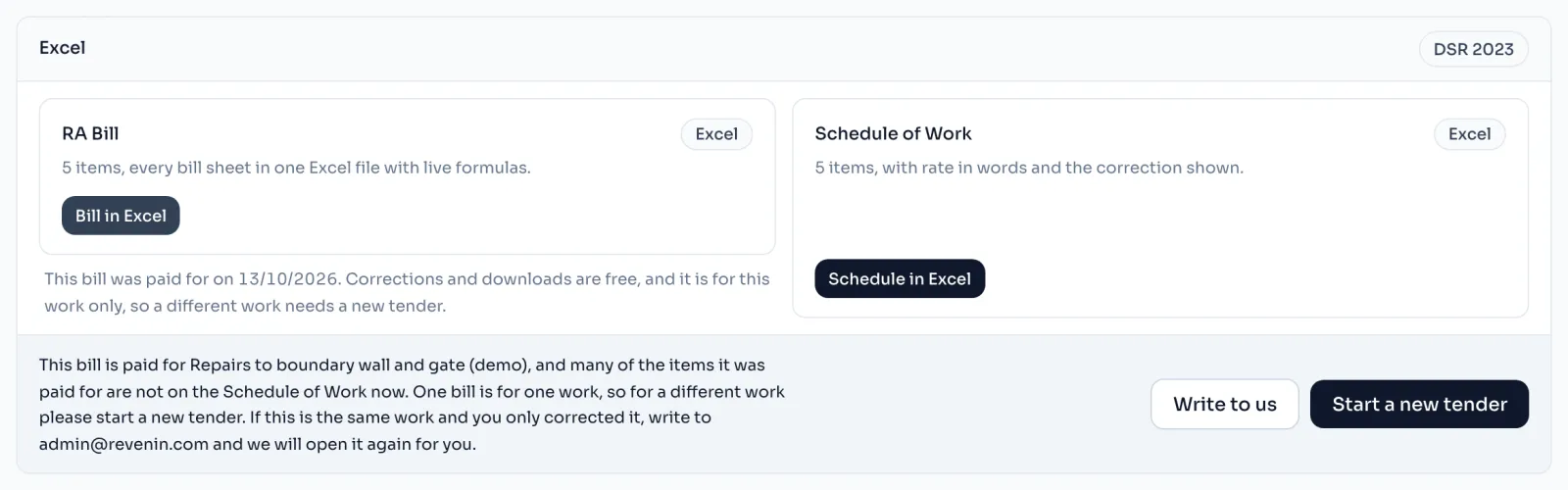
- Read the sentence on the strip under the download buttons. It says the bill was paid for your work, and then either that many of the paid items are not on the Schedule of Work now, or that the schedule has far more items than that work had.
- If it really is a different work, press Start a new tender and make that bill there. Your old files stay in the Files list of the first tender.
- If it is the same work, press Write to us. A mail opens with the name of your tender in the subject. Send it, and we will open the bill again for you.
Things to know
- Corrections never count. Retyping a rate, fixing a quantity, changing a unit or writing measurements cannot make a download refused. Capitals, spaces and full stops in a description do not count either.
- Before the first download nothing is checked. The first download sets the work, so add all your items first.
- Items you add later join the work. A few extra items are fine, and a schedule that has grown much bigger than the work you paid for is refused.
- Fill in a code before you download. A row typed by hand is known by its words until its code is filled in, so filling the code in later makes it a new item.
- The PDF is checked in the same way, and refused in the same words.
How it is worked out
Every download of a paid bill is checked in 2 ways:
For a bill that was paid for 20 items:
| What you did | Items changed | Result |
|---|---|---|
| Corrected 8 quantities, 5 rates and 3 units | None | The download goes through |
| Reworded the description of 2 market rate items | 2 replaced | The download goes through |
| Typed another work's items over most of the schedule | Many replaced | Refused, many of the paid items are gone |
| Added 80 more items to the same schedule | Far more items | Refused, the schedule has grown too much |
The 2 reworded items are 2 out of 20, which is few enough. The strip never prints a count, because the Download card counts rows and the rule counts items, and the two counts can differ.
If you see this message
and many of the items it was paid for are not on the Schedule of Work now.
The schedule now looks like a different work. Press Start a new tender, or Write to us if it is the same work and you only corrected it.
and the schedule now has far more items than that work had.
Most often you downloaded before the schedule was ready. Press Write to us and we will fix it.
and the rows you add here go on the same on the Revenin AI page
The bill is already paid for, so rows you read here join this bill. Use this tender only for the same work.