How to start one
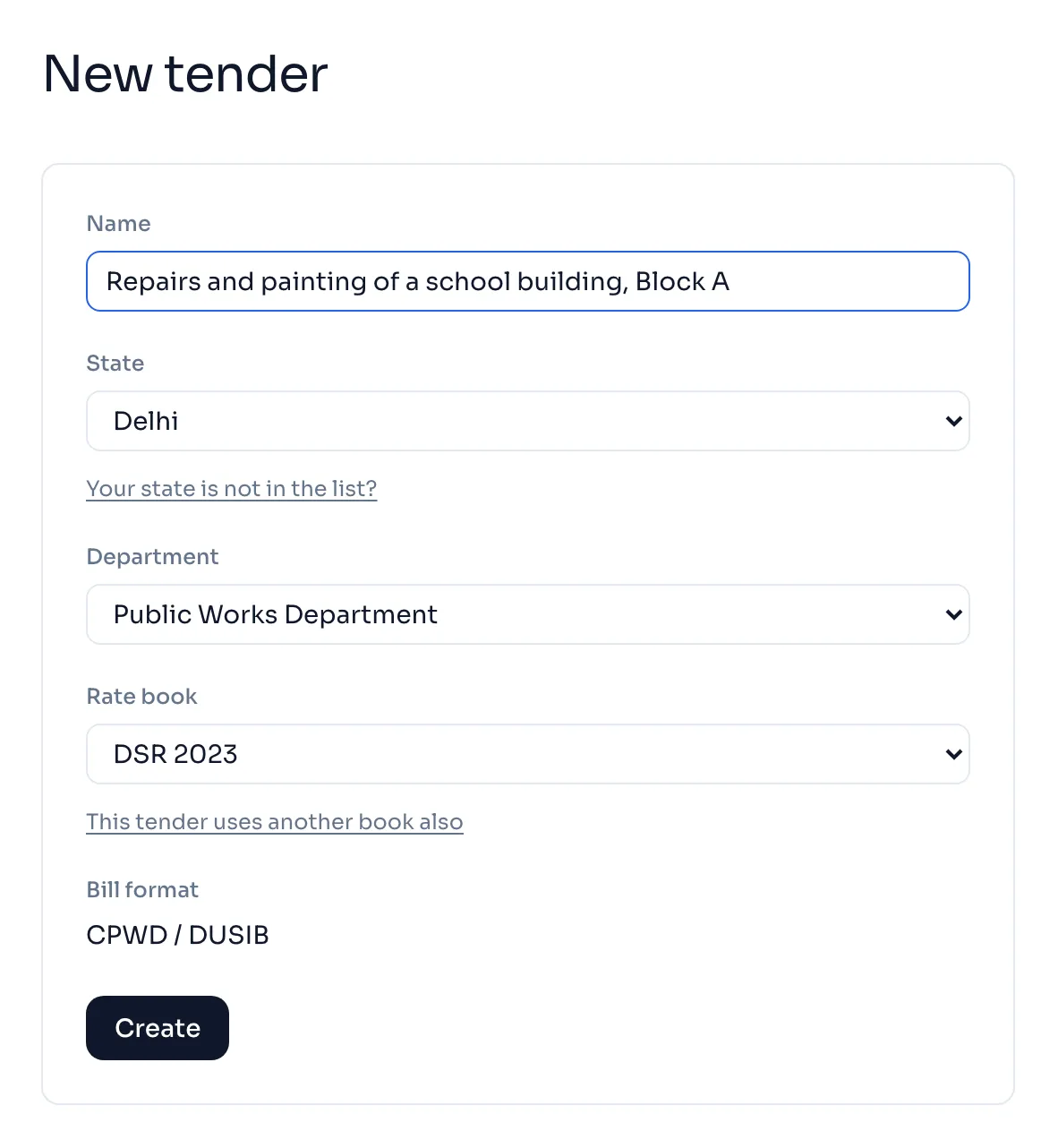
- Open New tender.
- Type a Name you will know it by, like Drain work, Shakurbasti. Each tender in your firm needs its own name.
- Choose the State. Delhi is the only state you can pick today.
- Choose the Department you bill.
- Check the Rate book. DSR 2023 is chosen for you. Pick DSR 2016 only if your tender papers say DSR 2016.
- The Bill format is set for you from the department.
- Press Create.
Which rate book?
Your NIT, your agreement or your award letter names the book the work was estimated on. Use that one.
| Rate book | Items | Cement statement |
|---|---|---|
| DSR 2023 | 5,793 | Worked out for you |
| DSR 2016 | 4,862 | Made by hand, because the book's cement figures are not in yet |
The same item code can mean a different item in the two books, with a different rate. So a wrong book does not give a slightly wrong rate, it gives a wrong item, and the AE will return the bill.
Things to know
- Tick This tender uses another book also only for the rare work estimated on two books, and choose the second book.
- No screen changes the rate book after you press Create. If you picked the wrong one, start a new tender or write to us.
- Your state is not in the list? Type its name and press Send. We add a state when its rate book is loaded.
- The name is for you. The bill prints the name of work from the tender details, not this name. Tender details and the award letter
If you see this message
Please enter a name for the tender.
Type a name in the Name box, then press Create again.
Please choose a department.
Choose the department you bill from the Department list.
No rate book is available for this state.
That state's rate book is not loaded yet. Use Your state is not in the list? to tell us.